
How to Set Up DNS for Your Domain on Hetzner

It's no secret I'm using Hetzner to host my web project. Very happy with their services but they did have one downside: I didn't manage to figure out how to do the DNS management with their platform, forcing me to do a weird "Domain Registrar for the tld, Digital Ocean for DNS and Hetzner for hosting" combo. To make it sound like I'm not a total noob, I have to mention that Hetzner has a distributed organization, with tools for VPS, Dedicated Servers and Shared Hosting, split into sections like the Console, KonsoleH or the Robot.
With a little bit of help from Claude, a game changer when it comes to tackling things you're unfamiliar with, I finally untangled the issue. As always, I'm documenting my adventures both for my own future use and also for potential visitors in my exact situation.
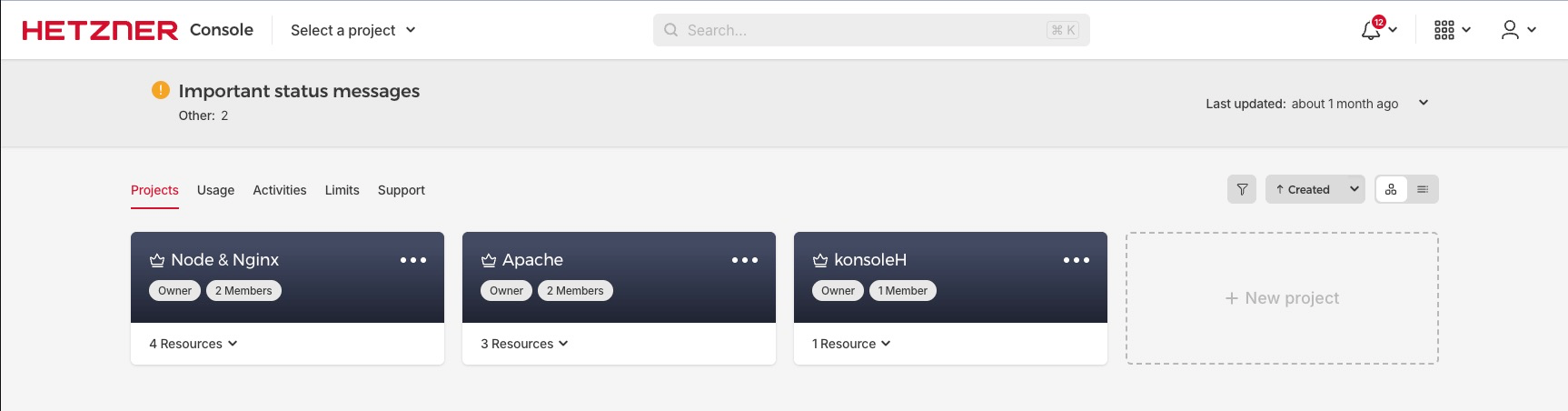
First, you start from the Projects dashboard, then select the one corresponding to the VPS/Server that will host your new domain.
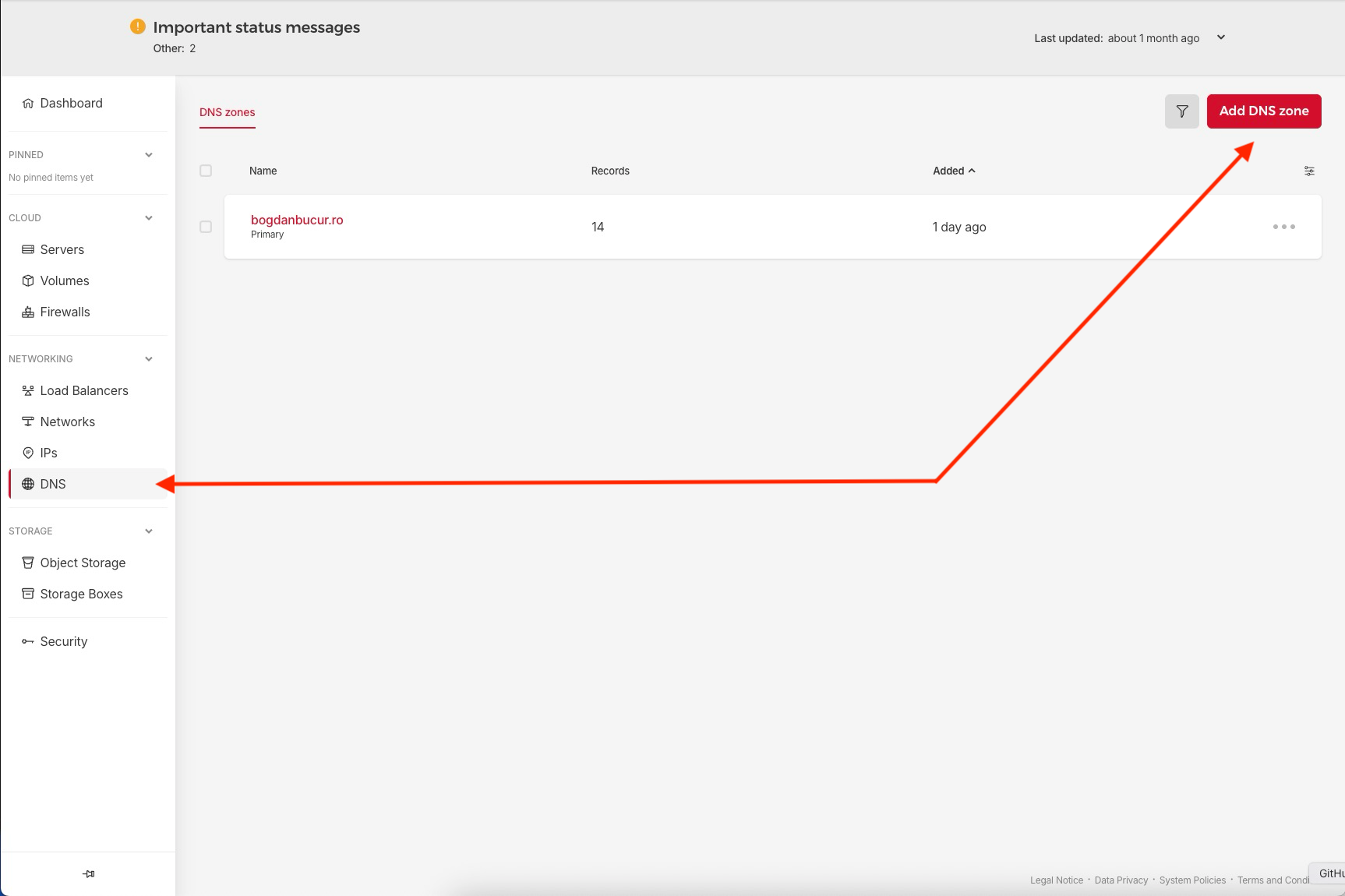
You will find the DNS section in the left side of the menu, under NETWORKING. After clicking on it, the Add DNS zone button will be available in the top-right corner.
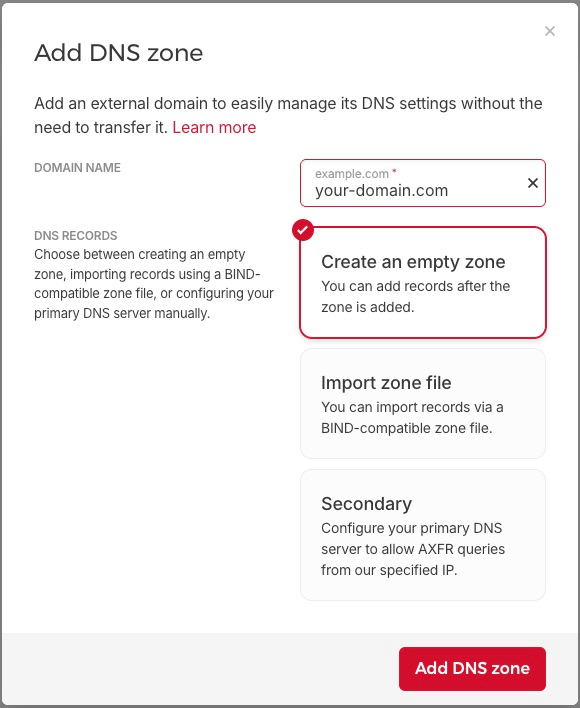
This will lead you to a prompt where you will have to input your domain in the first field (like "your-domain.com", without http or www) and then select Create an empty zone (if you were someone needing the other two options you wouldn't be here reading this post).
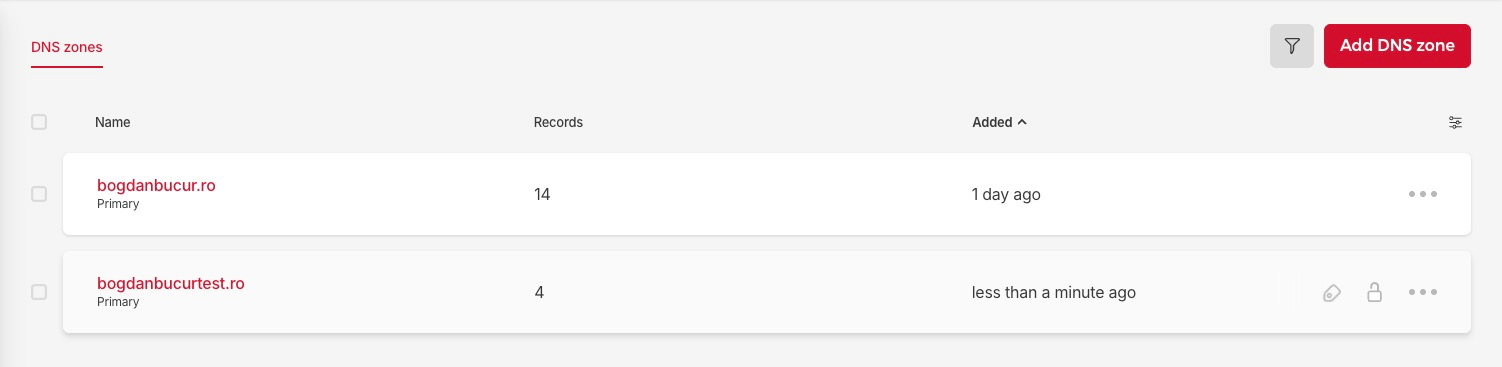
You will see your new domain in the list and you can click on it to finish the setup.
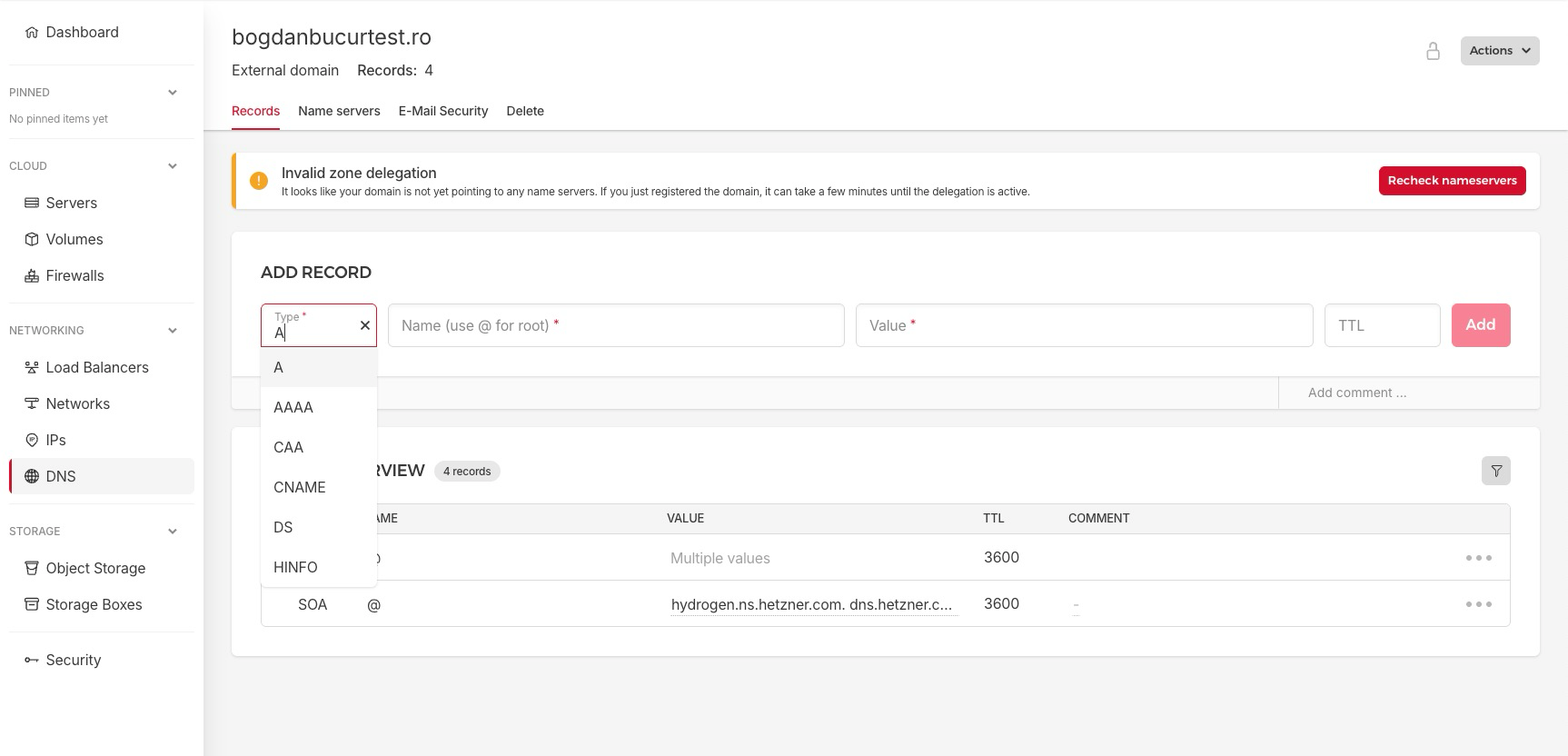
From here it should be very straight-forward. You have access on top to the section where you can add new records (A, AAAA, CNAME, MX, etc.) and the existing records at the bottom.
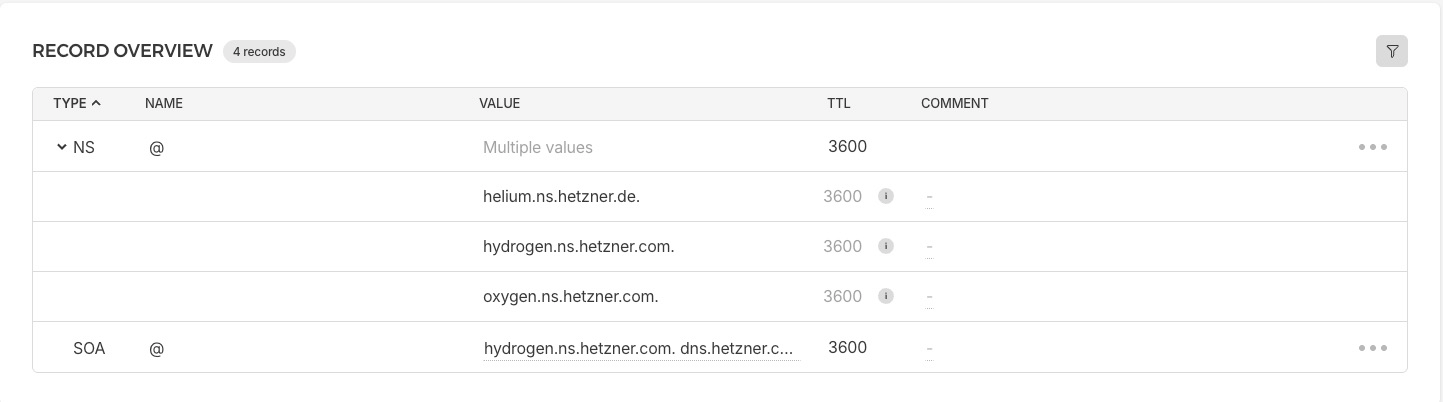
In the bottom list you can also get quick access to Hetzner's nameservers list, which you will have to configure in your domain registrar's panel (this is what tells the Internet to ask Hetzner instead of your registrar, allowing it to see where your domain's records live). For quick access, they are (be careful not to add the trailing point in the registrar settings):
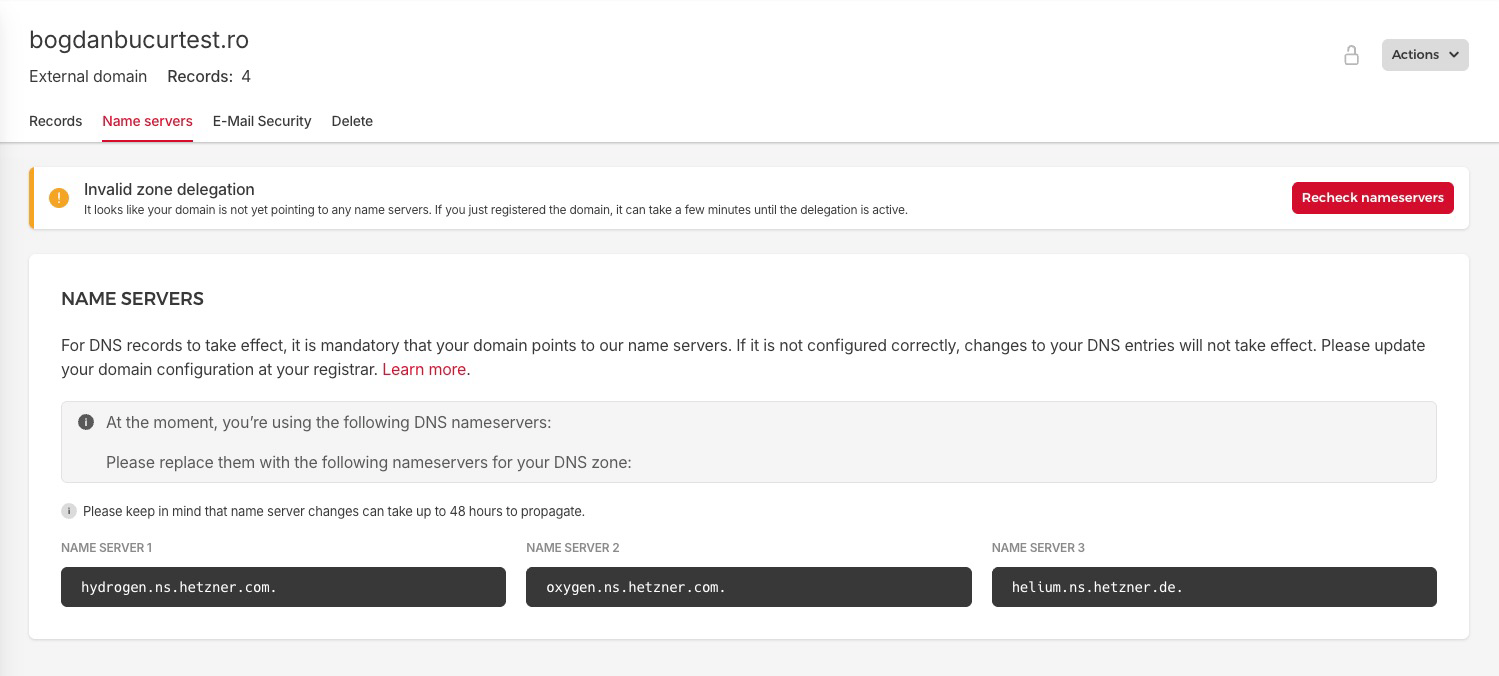
helium.ns.hetzner.de
hydrogen.ns.hetzner.com
oxygen.ns.hetzner.com
You can also find them in the "Name servers" tab:
To check if you're ready to go, you can use the following terminal commands and replace "bogdanbucur.ro" with your own domain:
dig NS bogdanbucur.ro +short
dig bogdanbucur.ro +short
The result for the NS command should list the Hetzner nameservers while the other will list your server's IP.

Once you're finished with this, if you need help with configuring them on the server for Nginx static content or for Ghost blogs (including on a subdomain) you can check the linked posts.
Good luck future me or mysterious visitor!